Mitsui Shopping Park Kids Club

Mitsui Fudosan Group Mitsui Fudosan Group

Mitsui Shopping Park

  • Top Page
  • What is Kids Club?
  • How to join
  • Benefits
  • event
  • Eligible facilities
  • Q&A
  • Membership Terms and Conditions
  • Mitsui Shopping Park Kids Club
  • How to join from the app

How to join How to join

Mitsui Shopping Park APP

To join, install the Mitsui Shopping Park app.
You will need to register and log in to the members page.


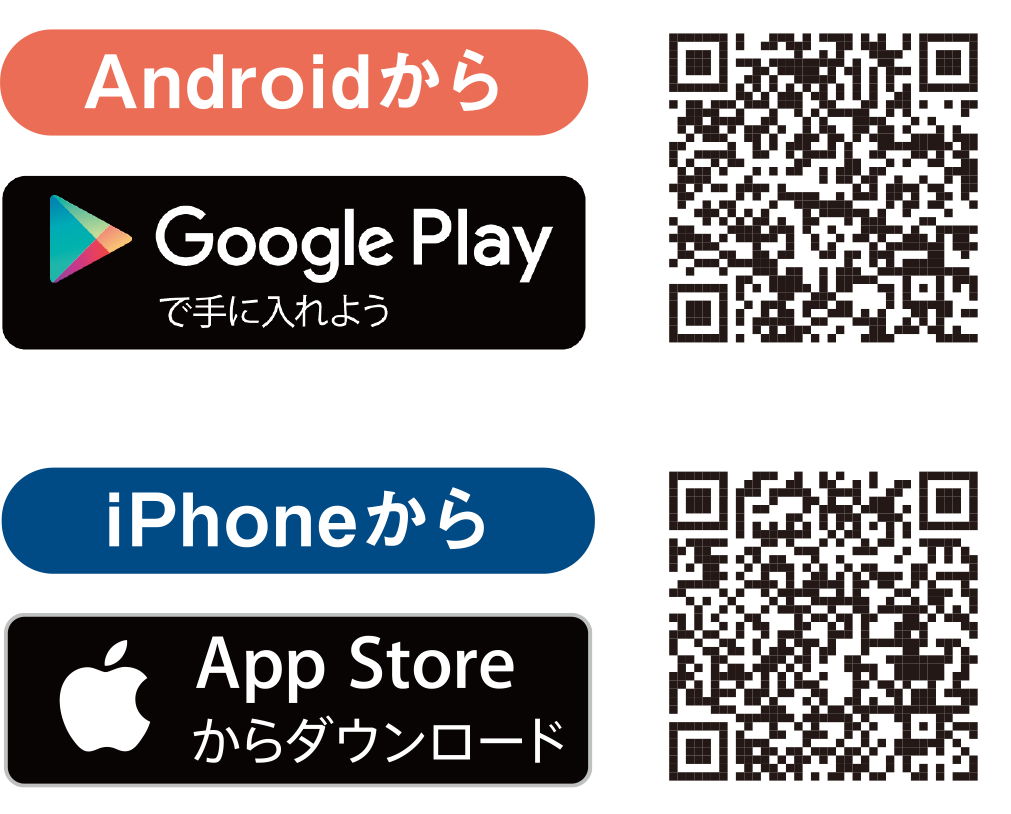
Download the Mitsui Shopping Park app Download the Mitsui Shopping Park app

  • ◆For more information about the app, click here
    https://mitsui-shopping-park.com/msppoint/app/

  • Search with the Mitsui Shopping Park app

Joining Kids Club (for new members) Joining Kids Club (for new members)

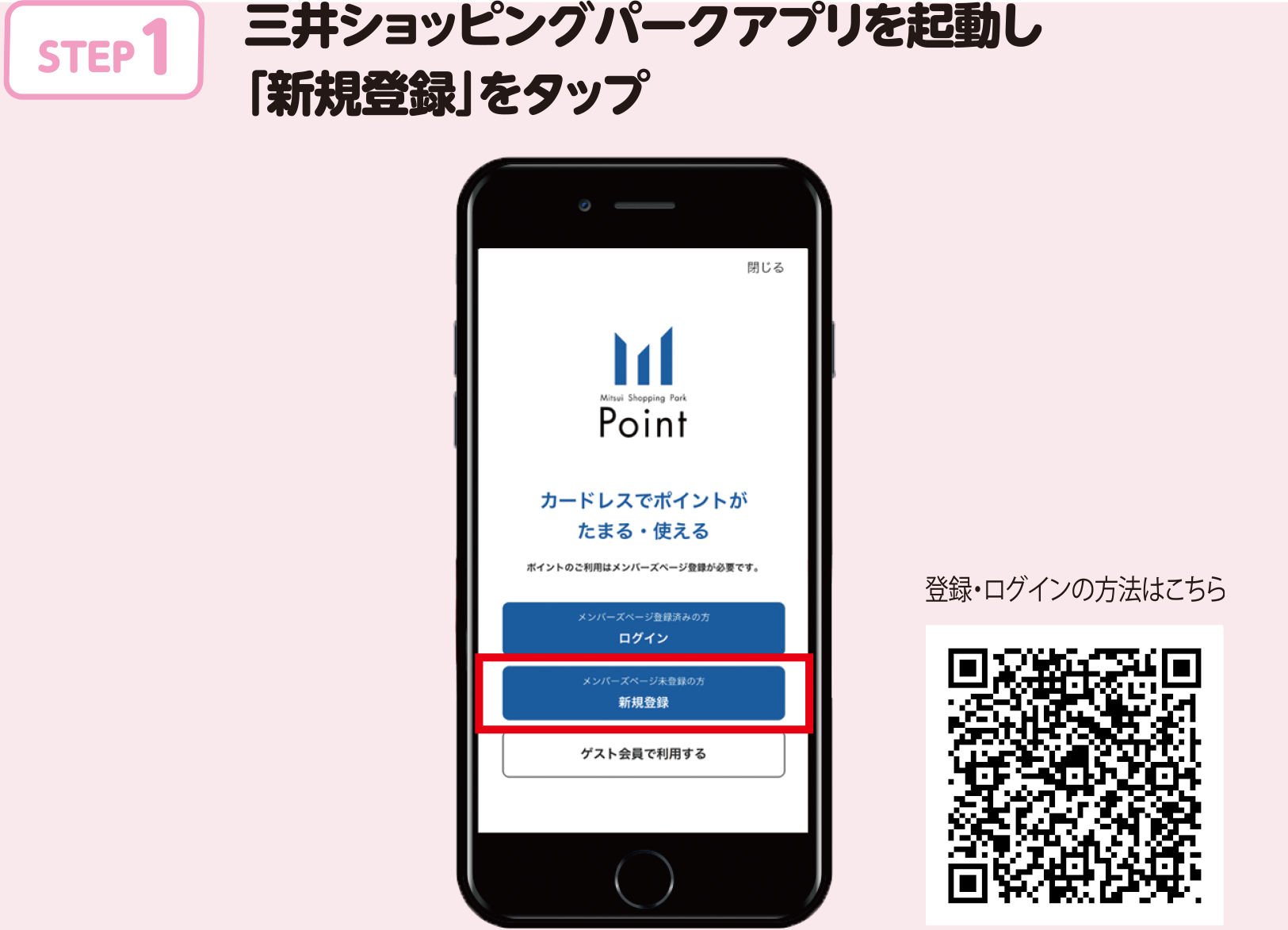
  • STEP 1. Launch the Mitsui Shopping Park app and tap "New Registration"
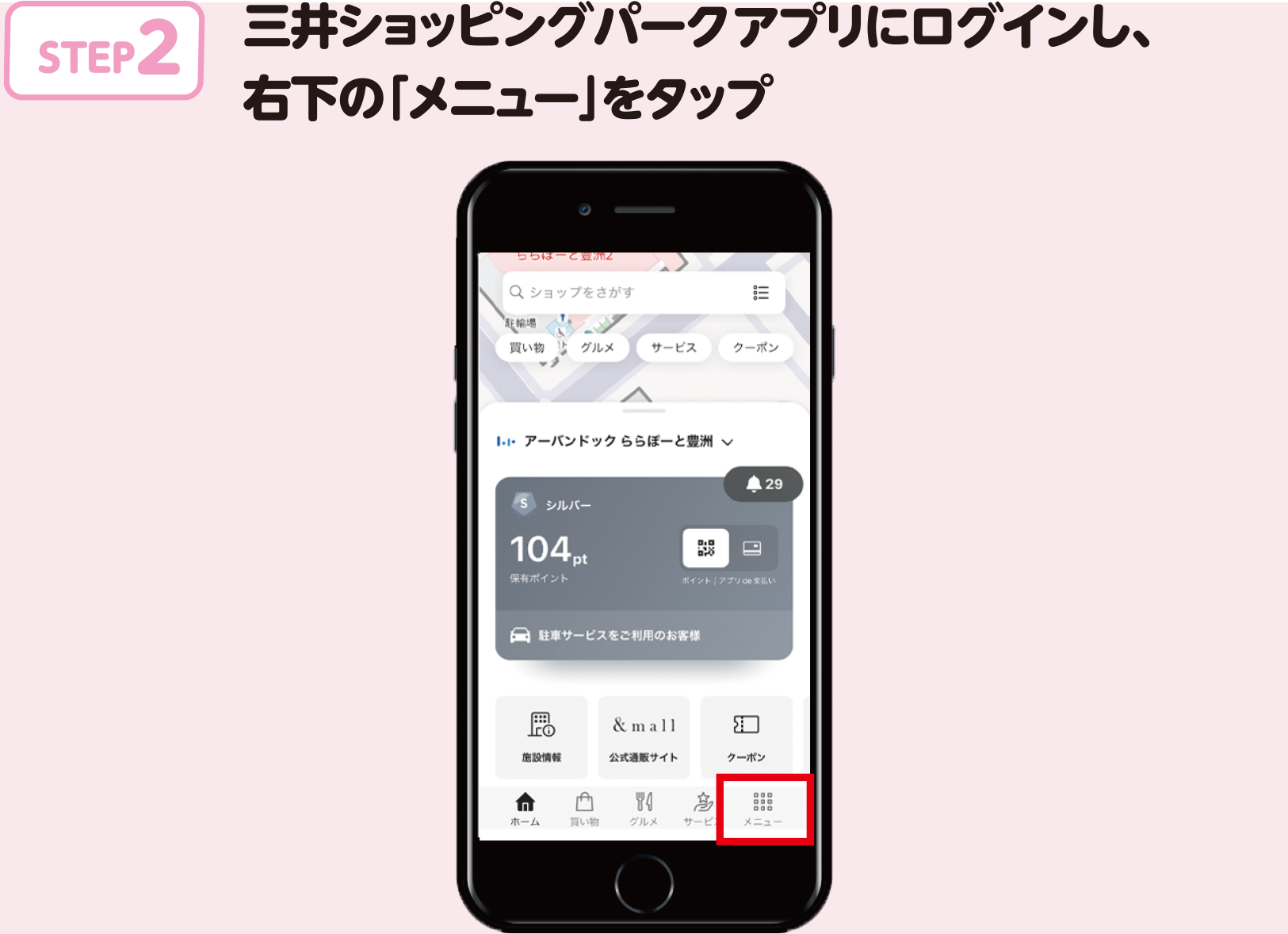
  • STEP 2 Log in to the Mitsui Shopping Park app and tap "Menu" in the bottom right
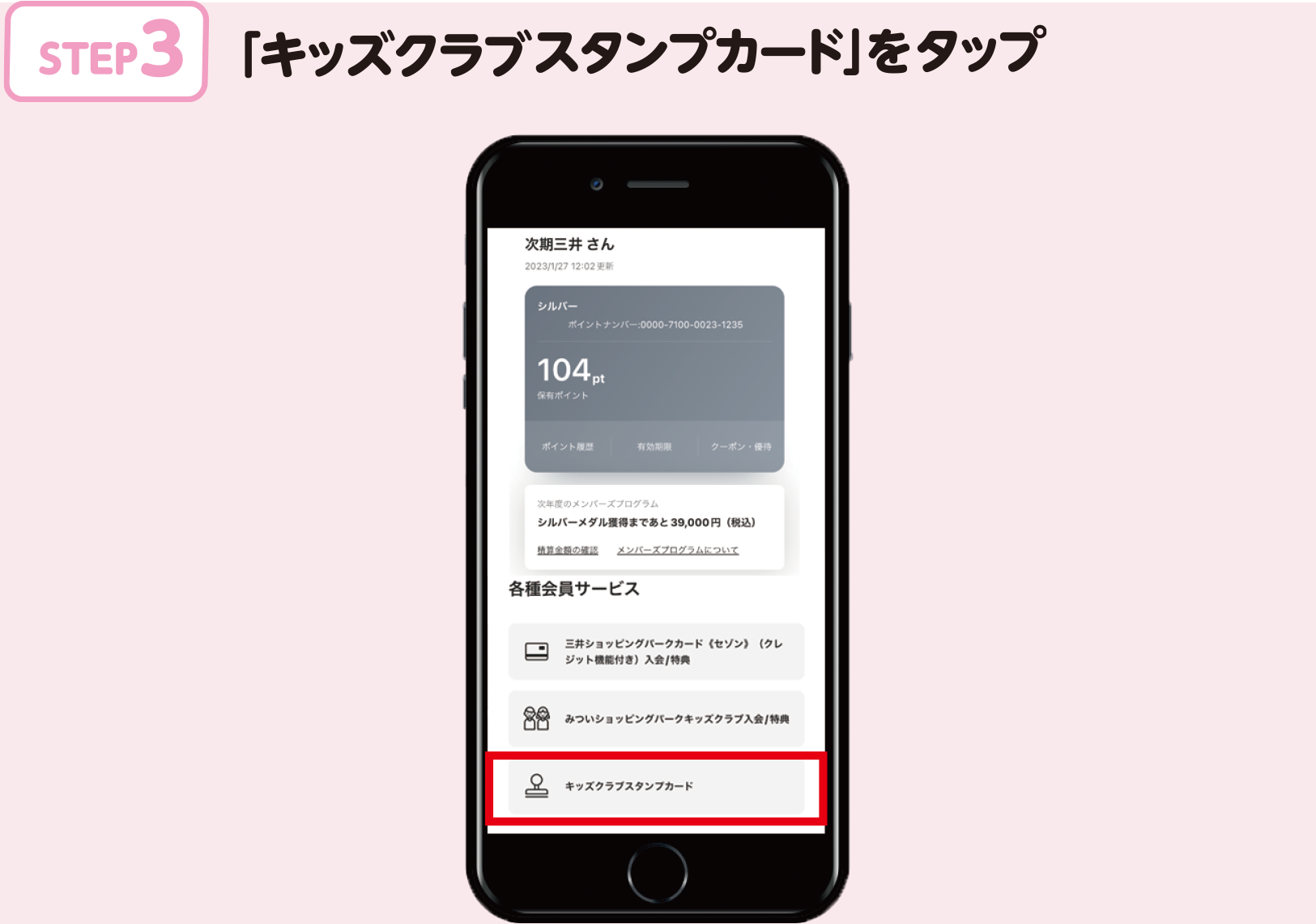
  • STEP 3. Tap "Kids Club Stamp Card"
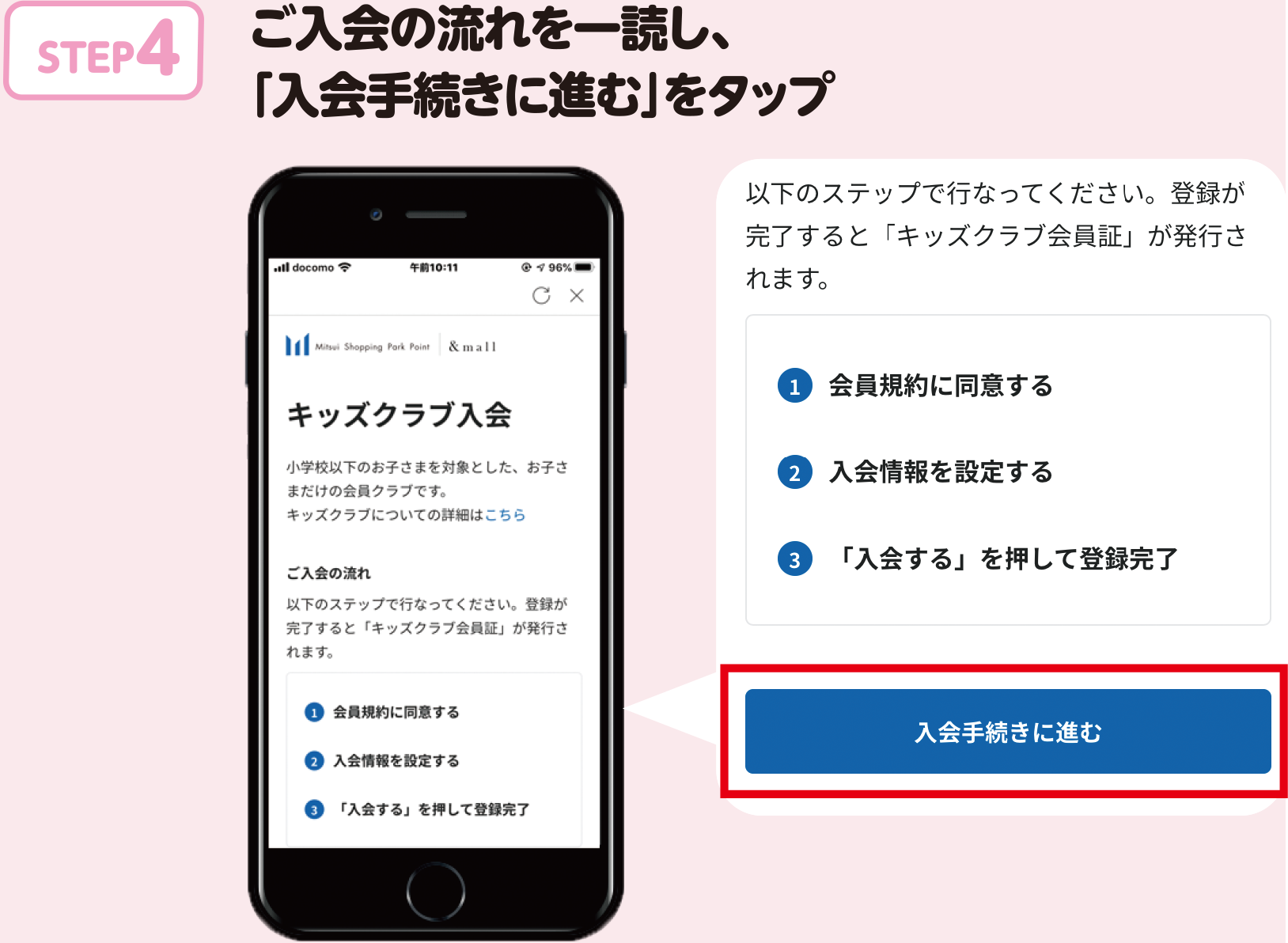
  • STEP 4. Read the enrollment procedure and tap "Proceed to enrollment procedure"
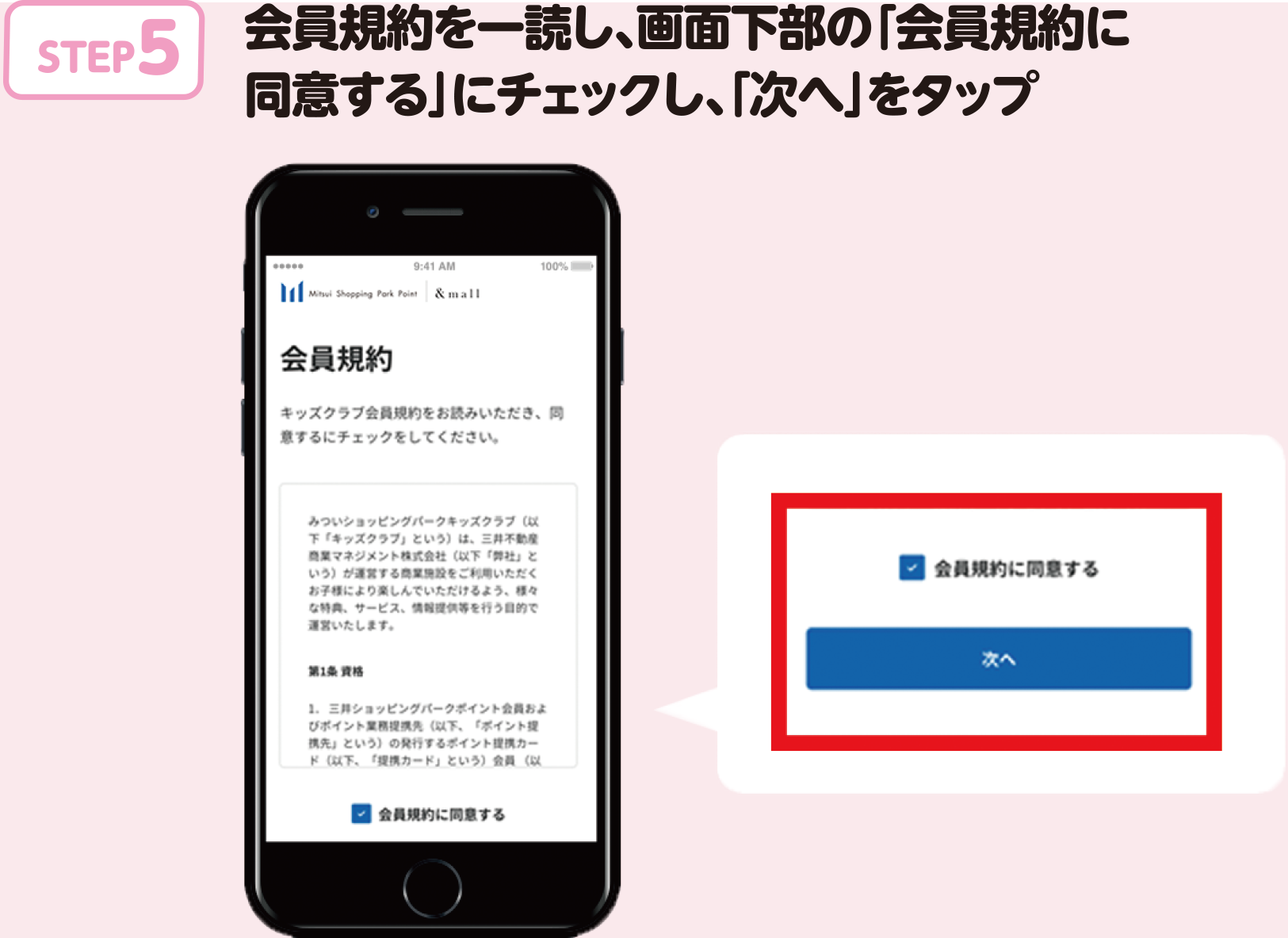
  • STEP 5. Read the membership terms and conditions, check "I agree to the membership terms and conditions" at the bottom of the screen, and tap "Next"
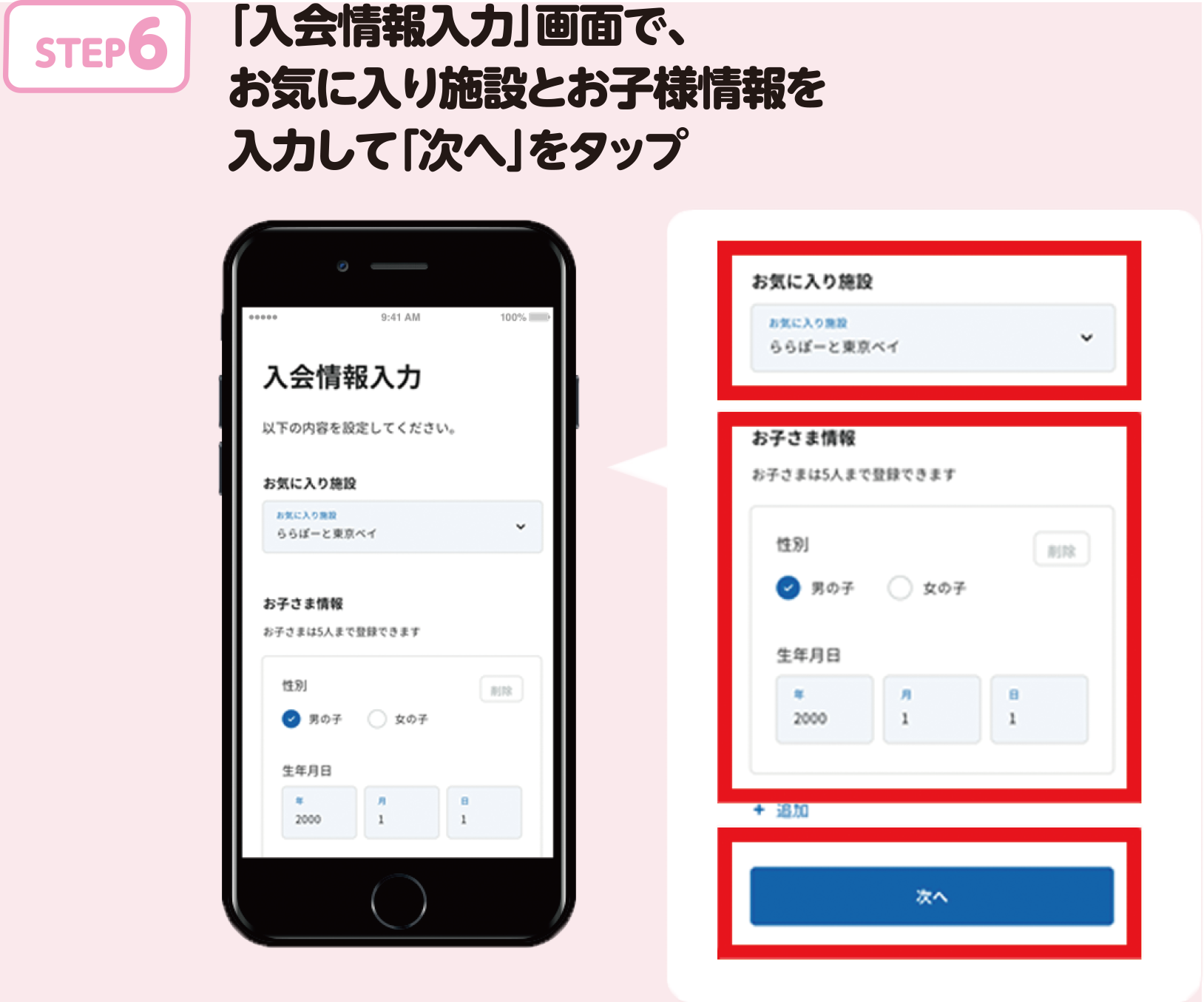
  • STEP 6: On the "Enter Membership Information" screen, enter your favorite facility and child information and tap "Next"
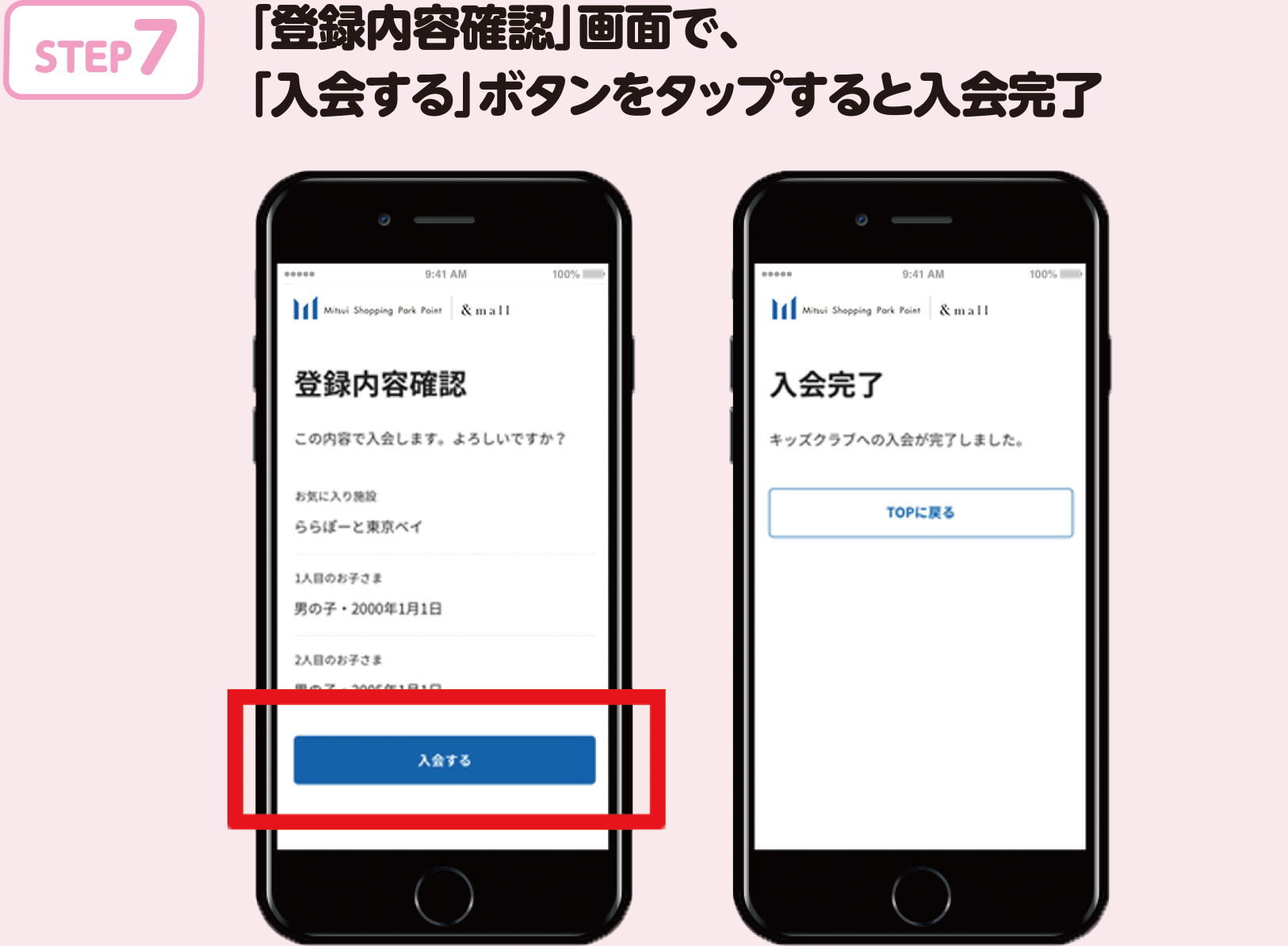
  • STEP 7: On the "Confirm Registration Details" screen, enter your favorite facility and child information, then tap the "Join" button to complete your registration.

pagetop

©SAN-X, FANWOR_KS / Tomant Detective Agency

  • Usage Notice
  • Privacy Policy
  • Handling of personal information
  • Mitsui Fudosan Group Social Media Policy
  • Cookies and Access logs
  • Contact
  • Company profile
Copyright Mitsui Fudosan Retail Management Co., Ltd. All Rights Reserved.
Mitsui Fudosan Commercial Management