











For iPhone users
Android users


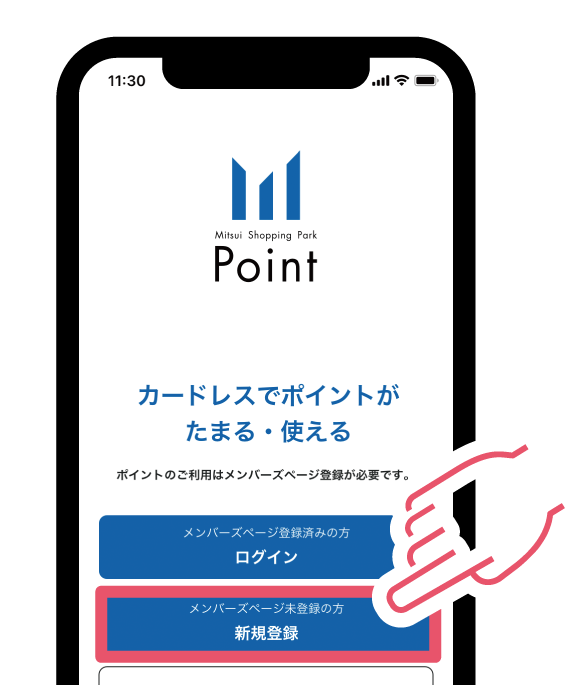
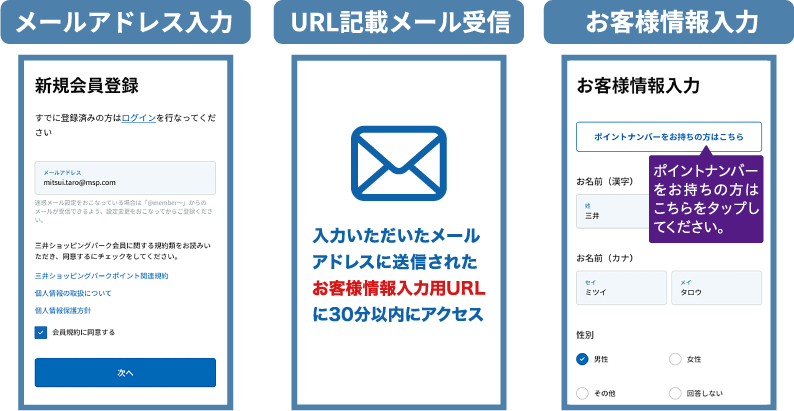

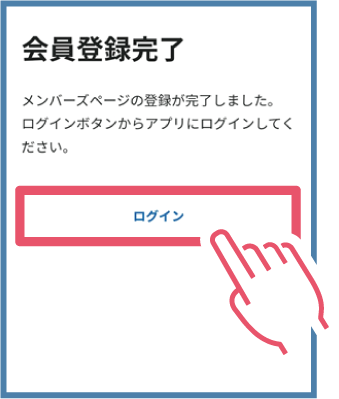


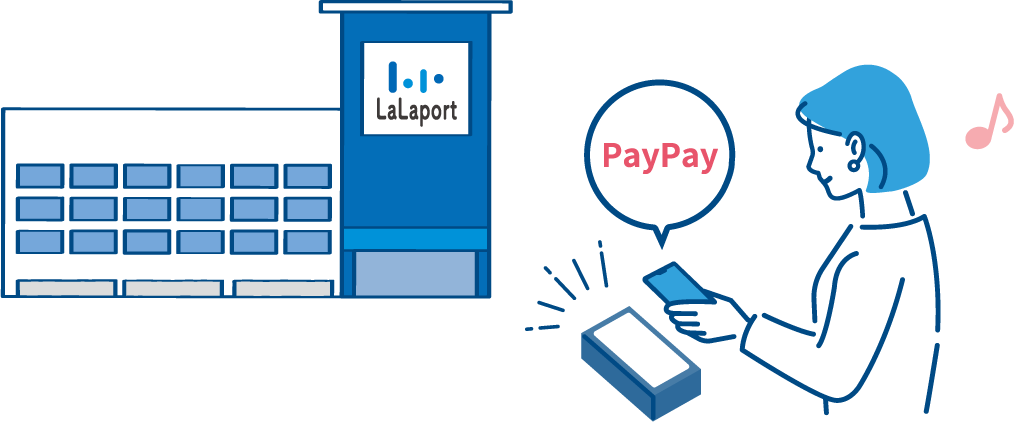
During the promotional period, shop at participating facilities using PayPay!
- * You will need to attach your purchase receipt (QR payment purchase slip) when entering. Please keep your receipt and do not throw it away.
- * At LaLaport KASHIWANOHA, receipts will be issued with the words "QR code payment" written on them.
- *Please note that some stores in LaLaport SHONAN HIRATSUKA that offer the PayPay 10% coupon will not issue a "QR payment purchase slip," so please attach the purchase receipt issued by the store.
- * Some stores are excluded from this campaign. Please check the events and campaigns page on the participating facilities' websites for details.
- * QR Code is a registered trademark of DENSO WAVE INCORPORATED.


via the entry form
Please enter the following information:
Please attach your purchase receipt.
Mitsui Shopping Park Point Number
Name
Email Address

Please be sure to check the following before applying!
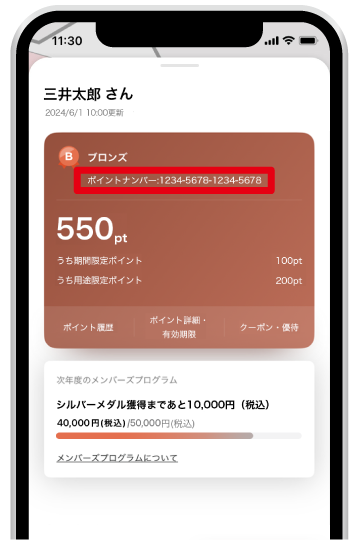
This is your membership number, which you can obtain by registering on the Mitsui Shopping Park Points member page, "Members Page."
How to check
-
 三井ショッピングパークアプリの画面右下にある「メニュー」ボタンをタップ。
-
 メダルの種類の下にポイントナンバーが表示されます。
-
 ポイントナンバーを長押しするとポイントナンバーのコピーができます。
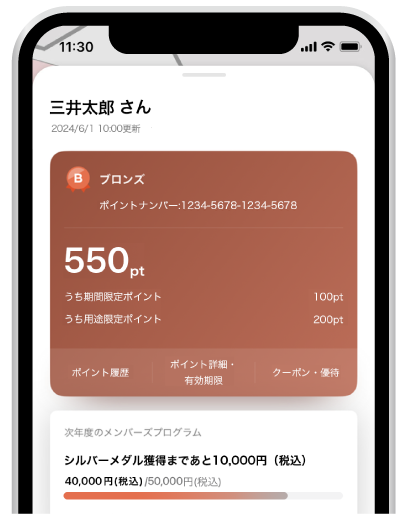
This is your membership number, which you can obtain by registering on the Mitsui Shopping Park Points member page, "Members Page."
How to check
-
三井ショッピングパークアプリの画面右下ある「メニュー」ボタンをタップ。
-
メダルの種類の下にポイントナンバーが表示されます。
-
ポイントナンバーを長押しするとポイントナンバーのコピーができます。

Please attach it to the entry form.
* So that you can see the information within the red frame.
please note.
- * This applies to receipts labeled "QR Payment Purchase Slip" issued when paying with PayPay.
- * At LaLaport KASHIWANOHA, when paying with PayPay, a receipt will be issued with "QR code payment" written on it, so please attach this.
- *Please note that some stores in LaLaport SHONAN HIRATSUKA that offer the PayPay 10% coupon will not issue a "QR payment purchase slip," so please attach the purchase receipt issued by the store.
- * If you submit a receipt other than those listed above, or if the attached receipt is bent, dirty, or otherwise unusable to confirm that you made a PayPay payment, you will not be eligible to receive points.
- * Some stores are excluded from this campaign.
Entry completed!
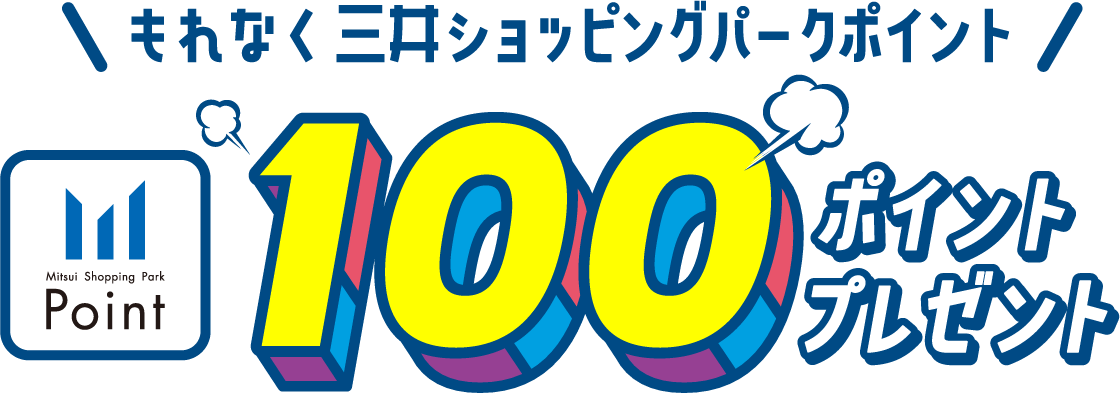
- * Mitsui Shopping Park Points are scheduled to be awarded around late June 2026.
-
*
The points awarded will be valid until August 31, 2026 (Monday).
These are limited-time points. -
*
At Tokyo Midtown (Roppongi)
The points you have been awarded cannot be used.

With the Mitsui Shopping Park app
Check the points that have been awarded.
You can also access it from the Members Page and LINE Official Account.
You can check it.

- * Mitsui Shopping Park Points are scheduled to be awarded around late June 2026.
- * If you cancel your membership or login after the campaign period ends, you will not be eligible for points.
- * When paying with points, points with limited usage restrictions will be used first. Points other than points with limited usage restrictions will be used in order of their expiration date.
- * Points are converted at a rate of "1 point = 1 yen" and can be used starting from 1 point.
- * Some stores are not eligible for points. Please check the website of each facility for details.