



Parking fees are paid using the prepayment machines located in the facility.
There is normally no parking stub for payment, so you should input your car’s license plate number on the payment machine’s touch panel.
If you were issued a parking stub from a parking stub machine, insert the parking stub into the prepayment machine or exit payment machine to pay.
-
(1) Standby screen
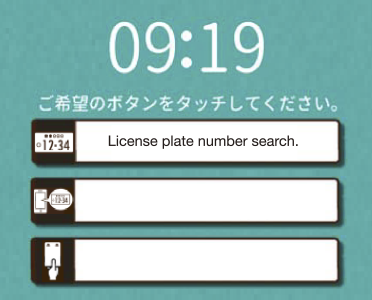
Tap “License plate number search.”
-
(2) Vehicle search
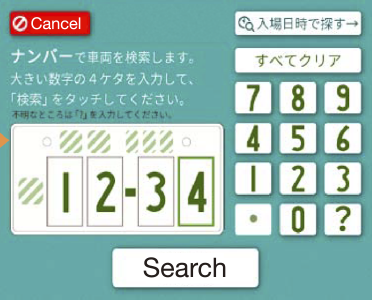
Search for your vehicle using your license plate number. Enter the large 4-digit number and tap the “Search” button.
-
(3) Vehicle selection
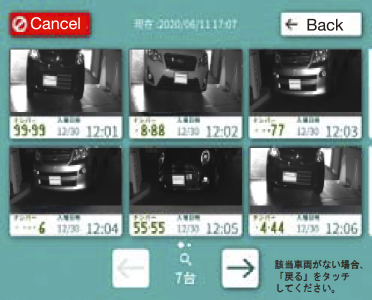
Tap your vehicle to pay.
-
(4) Vehicle confirmation
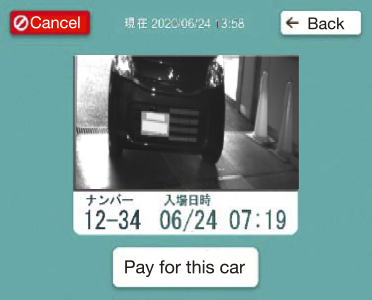
If the vehicle to pay for is correct, tap the button on the bottom of the screen.
-
(5) Discount confirmation
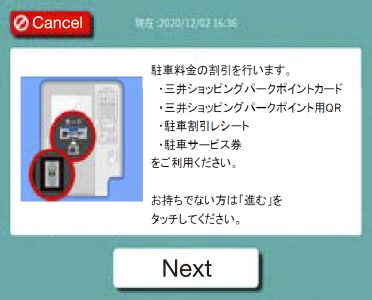
Your parking fee will be discounted. Please use your Mitsui Shopping Park Point Card, QR code for Mitsui Shopping Park Points, parking discount receipt, or parking voucher. Tap “Next” if you do not have any of these.
-
(6) Fee display
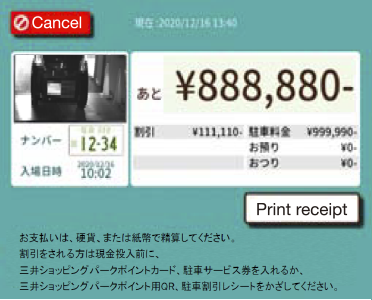
Your fee will be displayed. You can pay in coins or bills. For a discount, insert your point card or parking voucher, or scan your QR code for points or parking discount receipt, before inserting cash.
-
(1) Standby screen
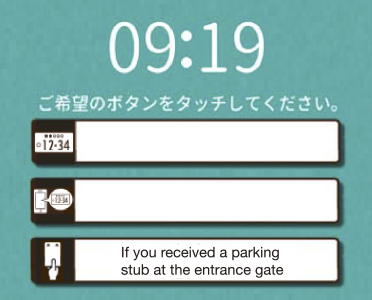
Tap “I received a parking stub at the entrance gate.”
-
(2) Confirmation of
member information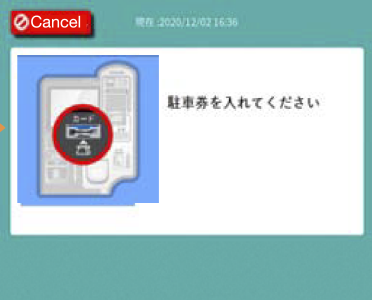
Insert your parking stub.
-
(3) Vehicle selection
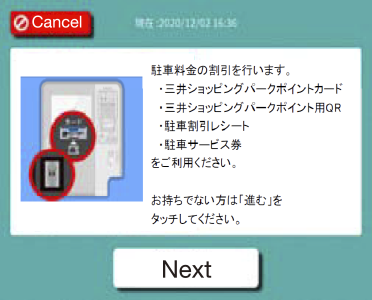
Your parking fee will be discounted. Please use your Mitsui Shopping Park Point Card, QR code for Mitsui Shopping Park Points, parking discount receipt, or parking voucher. Tap “Next” if you do not have any of these.
-
(4) Fee display
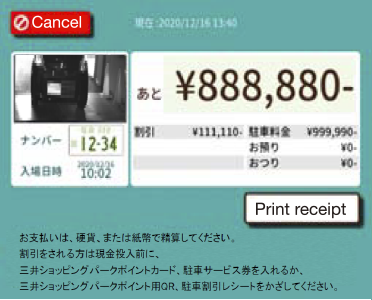
Your fee will be displayed. You can pay in coins or bills. For a discount, insert your point card or parking voucher, or scan your QR code for points or parking discount receipt, before inserting cash.
-
(1) Standby screen
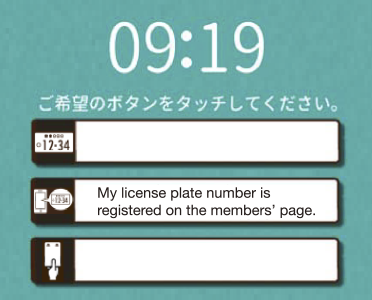
Tap “My license plate number is registered on the members’ page.”
-
(2) Confirmation of
member information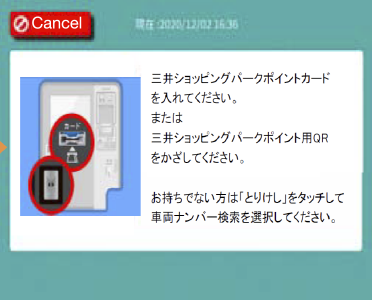
Insert your Mitsui Shopping Park Point Card or scan your QR code for Mitsui Shopping Park Points. If you do not have either of these, tap “Cancel” and select “License plate number search.”
-
(3) Vehicle selection
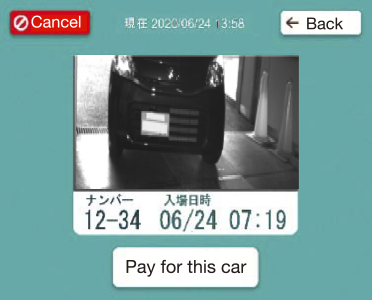
If the vehicle to pay for is correct, tap the button on the bottom of the screen.
-
(4) Vehicle confirmation
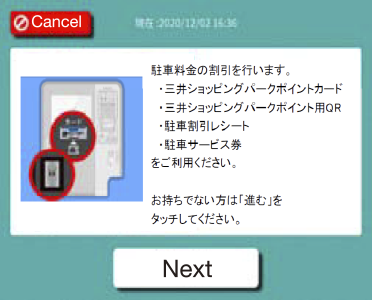
Your parking fee will be discounted. Please use your Mitsui Shopping Park Point Card, QR code for Mitsui Shopping Park Points, parking discount receipt, or parking voucher. Tap “Next” if you do not have any of these.
-
(5) Fee display
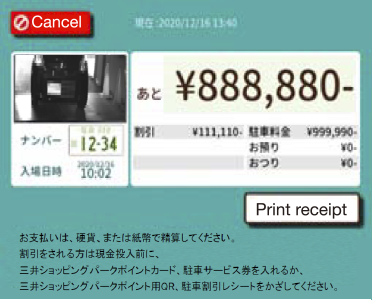
Your fee will be displayed. You can pay in coins or bills. For a discount, insert your point card or parking voucher, or scan your QR code for points or parking discount receipt, before inserting cash.